Step 4: Create a personal token
A token identifies you to a gateway when you call the inference API from a script or an application.
The following requirements are met:
- ☑ Step 3 is complete, see Connect the MCP connectors.
Proceed as follows to create a personal token:
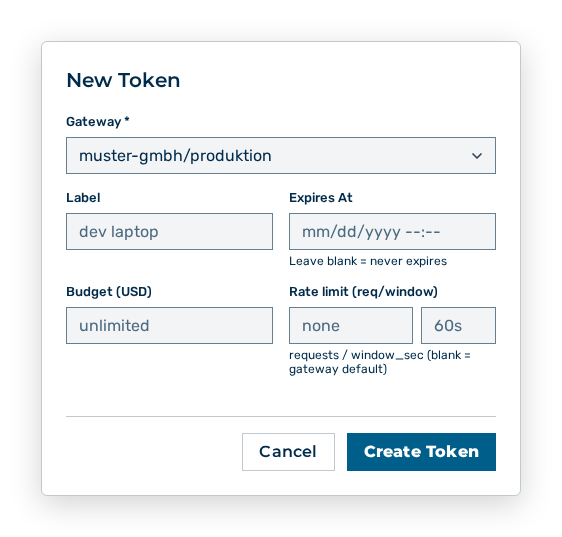
New Token dialog
-
► In the Account area, open the Profile tab.
- ▷ On the start page, click on your name at the bottom of the navigation bar.
- ↳ The user menu opens.
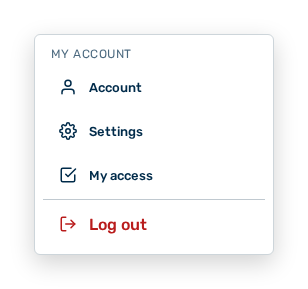
User menu
- ▷ In the My Account group, click on the Account entry.
- ↳ The navigation bar shows the Account area. The Profile tab is open.
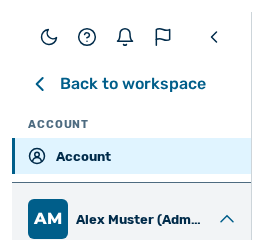
Navigation bar in the Account area
-
► In the Tokens section, click on the New Token button.
- ► Select the gateway.
- ► Enter a label.
- ➔ Myra AI Workspace creates the token and shows it one time.
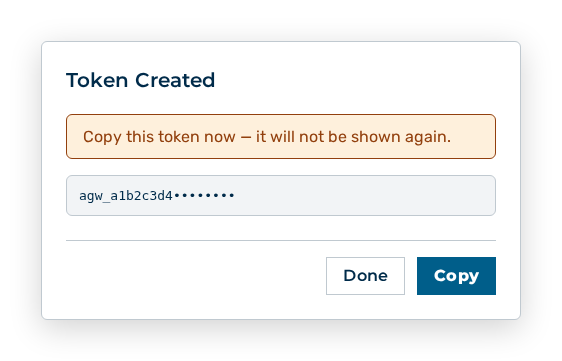
Token Created dialog
Copy the token immediately. The token cannot be shown again later. See the Creating a token section.
Note
The chat needs a gateway with at least one enabled model. If your administration is still setting up the gateway, Myra AI Workspace reports The requested model is not available on this gateway. Check the model id, or pick a model this gateway serves.