Connector directory dialog
Connector directory dialog
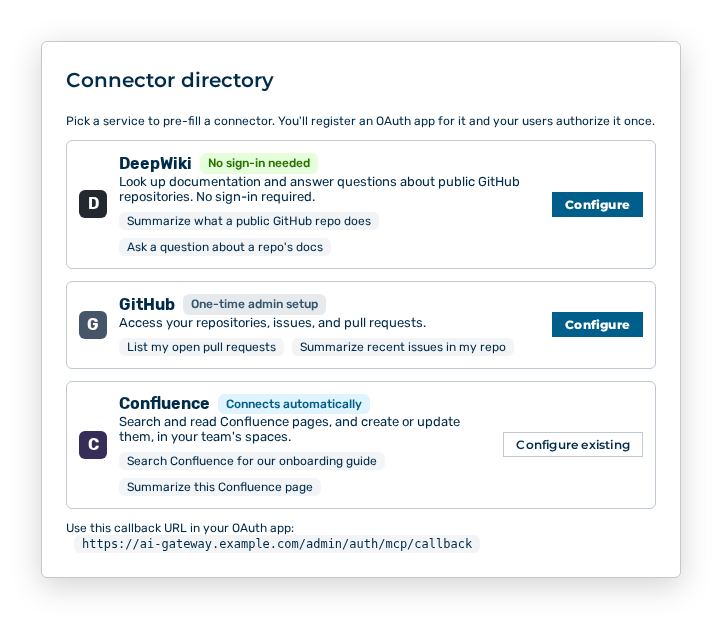
The Connector directory dialog pre-fills a connector from a catalogue of known services. The dialog carries the note Pick a service to pre-fill a connector. You'll register an OAuth app for it and your users authorize it once.
The following information is available for each service:
| Entry | Description |
|---|---|
| Name and icon | Service that the connector addresses, for example GitHub, Confluence, or Google Drive. |
| Description | Short description of what the AI does with this service. |
| Examples | Two example tasks that work in the chat with this connector. |
| Label | No sign-in needed for a service without a sign-in, Connects automatically for a service that registers itself on the first sign-in, and One-time admin setup for a service for which an OAuth app is to be registered. |
The following options are available in the dialog:
| Option | Description |
|---|---|
| Configure button | Opens the New MCP Connector dialog with the entries of the service filled in. |
| Configure existing button | Opens the Edit MCP Connector dialog for the connector of this service that already exists. |
| Cancel button | Closes the dialog without creating a connector. |
Note
The dialog gives the callback URL for the OAuth app: Use this callback URL in your OAuth app: Enter this URL at the provider before the first person signs in.