Approvals
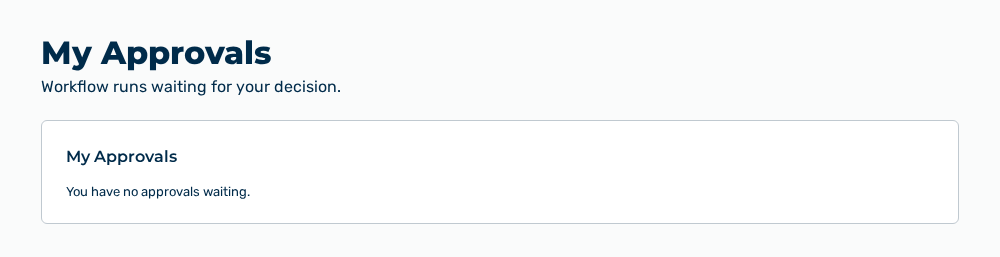
My Approvals view
In the Approvals group, the Personal tab is available to you. The tab lists the workflow runs that wait for your decision. Below the heading, the Workflow runs waiting for your decision. note appears. The Agents, Tool approvals, and Configurations tabs do not appear for your role.
The following information is available for each entry:
| Entry | Description |
|---|---|
| Name of the workflow | Workflow whose run waits for your decision. The name is in the first line of the entry. |
| Requested by | Person who started the run. Without a name, the email address appears, otherwise —. |
| Decide by | Time left until the approval expires, for example in 3 hours. The point in time appears as a hint when you point at the entry. Without a deadline, the entry shows —. |
| Cost so far | Costs that the run caused up to the approval step. |
| Step | Name of the approval step in the workflow. The technical key appears as a hint when you point at the entry. |
| Run | Short form of the run ID with a leading number sign, for example #a1b2c3d4. The complete ID appears as a hint when you point at the entry. |
The following option is available:
| Option | Description |
|---|---|
| Entry of the list | Opens the Approve this workflow run? page. |
Note
If no approval waits for you, the view shows You have no approvals waiting. If the list cannot be loaded, the view shows Could not load your approvals.
Note
The list contains only the runs in which you are the named approver. A run for which another person decides does not appear here.
Approve this workflow run? page
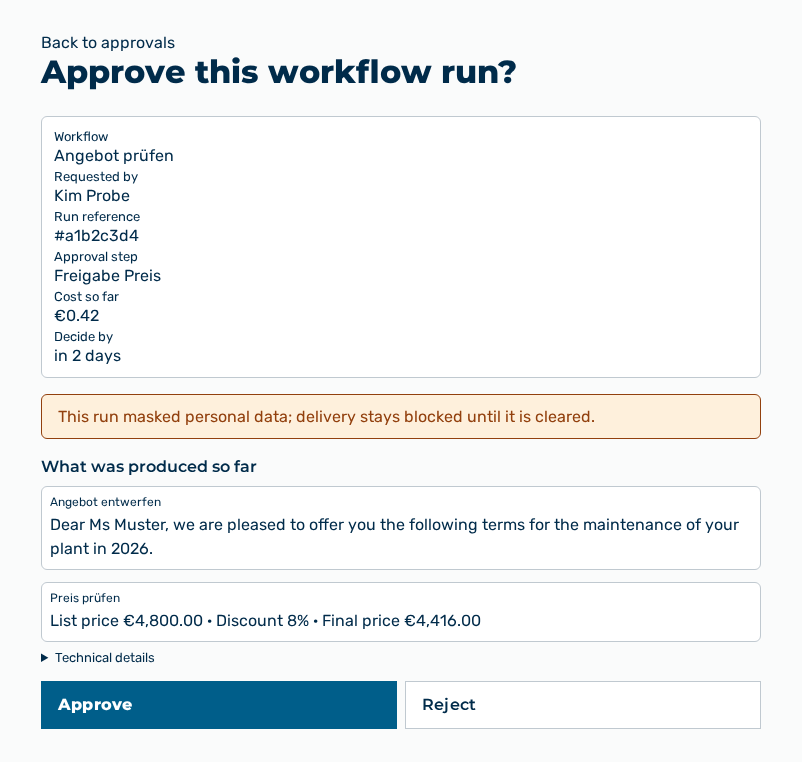
Approve this workflow run? page
The page collects the information that you need for the decision.
The following information is available:
| Entry | Description |
|---|---|
| Workflow | Name of the workflow from which the run comes. |
| Requested by | Person who started the run. |
| Run reference | Short form of the run ID, for example #a1b2c3d4. The complete ID appears as a hint when you point at the entry. |
| Approval step | Name of the step at which the run waits. |
| Cost so far | Costs that the run caused up to this step. |
| Decide by | Time left until the approval expires. |
| What was produced so far | Output of the steps that ran already, each under the name of its step. |
| Technical details | Collapsible area with the complete state of the run in JSON format. |
The following options are available:
| Option | Description |
|---|---|
| Back to approvals link | Returns to the list without a decision. |
| Approve button | Continues the run and shows Approved — the run will continue. While the decision is sent, the button has the Submitting… label. |
| Reject button | Shows the Reason for rejection input field. |
| Reason for rejection input field | Takes the reason for the record, at most 1,000 characters. The entry is required. |
| Confirm rejection button | Ends the run and shows Rejected — the run was ended. The button is disabled while no reason is entered. |
| Cancel button | Discards the reason and hides the input field again. |
Note
If the run masked personal data, the page shows This run masked personal data; delivery stays blocked until it is cleared.
Note
If no output is available yet, the page shows No step output to show yet. If the output cannot be prepared for reading, the page shows No readable preview — see technical details below.
Note
If another approver decided already, Myra AI Workspace shows This run was already decided. and returns to the list. Further messages are You are not the approver for this run., This approval is no longer available to you., and Please enter a rejection reason (up to 1000 characters).
Note
For the Demo User role, this view is not available. The entry shows Not available in the demo.