Managing plans
A self-serve plan sets the models, the budget, the caps, the degrade configuration, and the Stripe price ids of the self-registration. A plan can be neither created nor deleted.
The following requirements are met:
- ☑ Your user account has the Manage plan and entitlement config permission.
Proceed as follows to edit a plan:
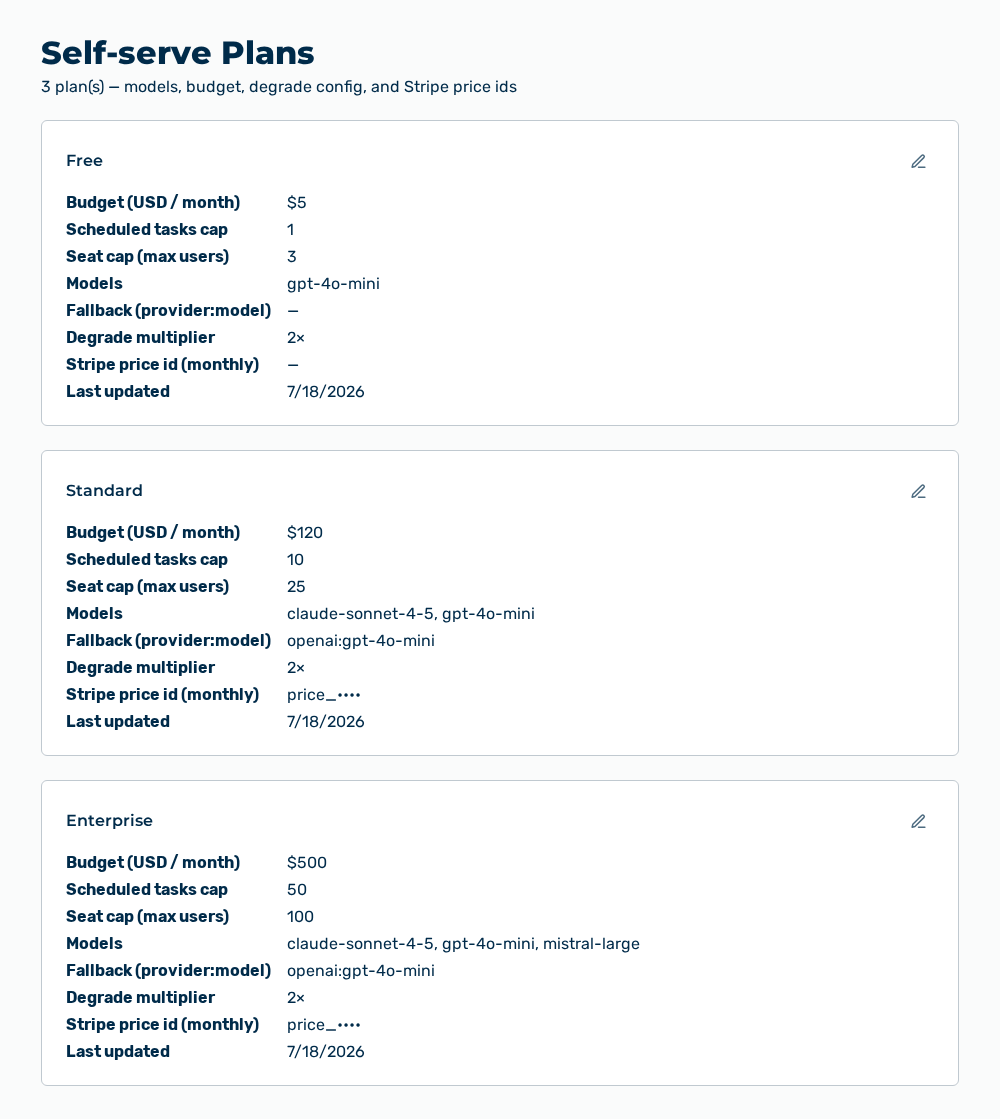
Self-serve Plans view
-
► In the Account area, open the Plans tab.
- ▷ On the start page, click on your name at the bottom of the navigation bar.
- ↳ The user menu opens.
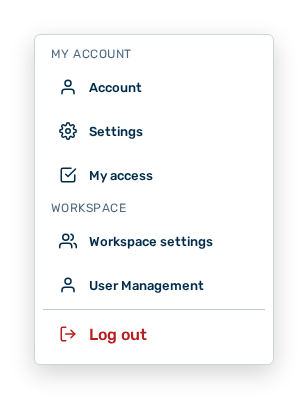
User menu
- ▷ In the My Account group, click on the Account entry.
- ↳ The navigation bar shows the Account area. The Profile tab is open.
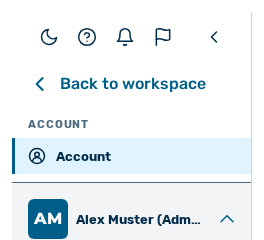
Navigation bar in the Account area
- ▷ Open the Plans tab.
- ► In the area of the plan, select Edit.
- ↳ The Edit plan:
dialog opens.
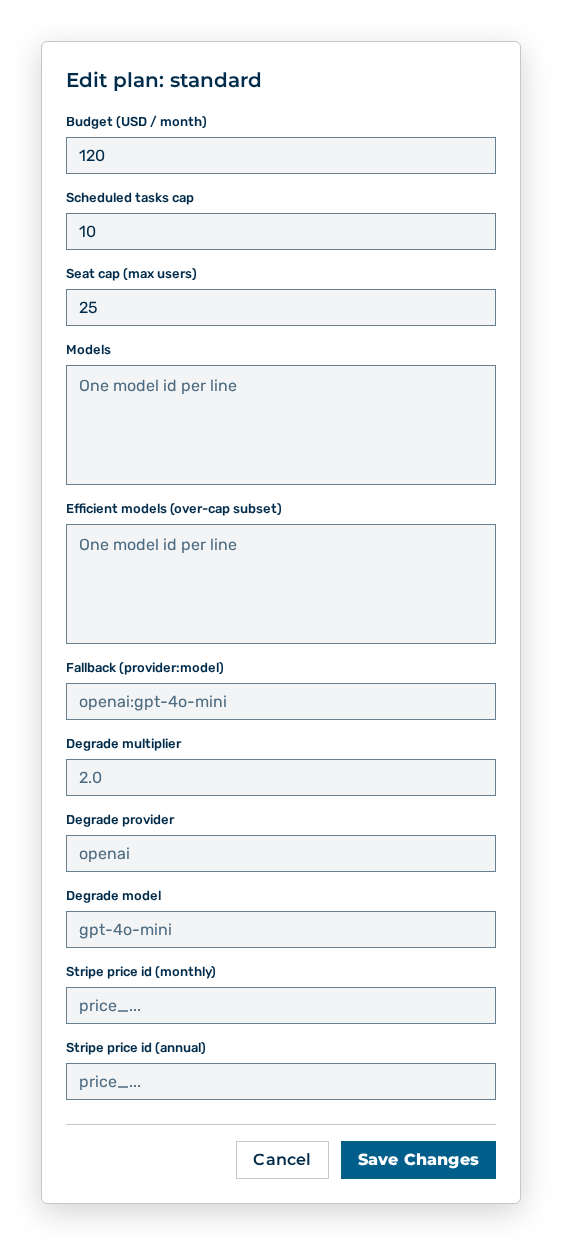
Edit plan dialog
- ► Change the budget, the caps, the models, the degrade configuration, or the Stripe price ids.
- ► Click on the Save Changes button.
- ➔ Myra AI Workspace applies the change.
Self-serve plans view
Note
Myra AI Workspace permits only one plan edit at a time. If one is already running, the dialog shows Another plan edit is in progress. Please retry in a moment.
Effects of the plan change
The change has the following effects:
| Object | Effect |
|---|---|
| Tenants on this plan | The change applies to all tenants that carry the plan, not to a single tenant. |
| Models | A model removed is no longer available to the tenants on this plan. A model added is available to them in addition. |
| Budget | The new budget applies to the following billing period of the tenants on this plan. |
| Degrade configuration | If you empty the degrade multiplier, Myra AI Workspace no longer degrades above the budget. If you set it, the degrade provider with the degrade model answers the requests above the budget. |
| Self-service signup | The Stripe price ids determine which amount Stripe charges for the plan. |
| Last updated entry | The area of the plan carries the time of the change. |
Note
This task needs the Manage plan and entitlement config permission of the Platform module. The permission stays reserved for the Administrator role. A role of your own does not take the permission.