Guardrails section
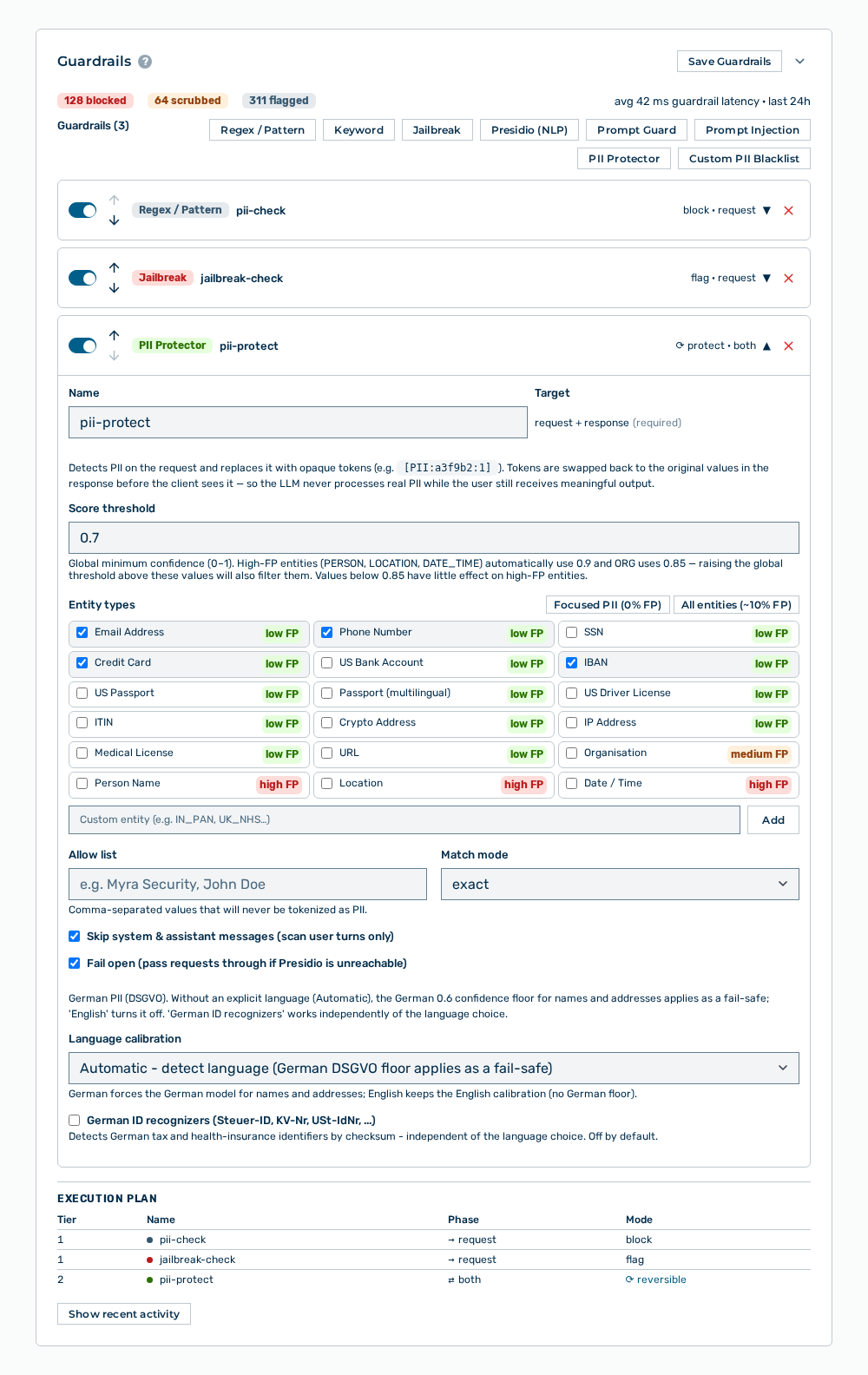
Guardrails section
The following information is available:
| Entry | Description |
|---|---|
| Number of requests that a detector blocked in the last 24 hours. | |
| Number of requests from which a detector removed content. | |
| Number of requests that a detector flagged but did not change. | |
| avg |
Average time that the check of a request needs in addition. |
| Time column | Time of the event. |
| Outcome column | Outcome of the check: blocked, scrubbed, or flagged. |
| Detectors column | Detectors that triggered. |
| Reason column | Reason that the detector reported. |
| Guardrail ms column | Duration of the check in milliseconds. |
| Total ms column | Total duration of the request in milliseconds. |
| Guardrails ( |
Quantity of the detectors that this gateway has. |
| Area of a detector | Type, name, and the |
| Execution plan section | Shows the detectors in the sequence in which the gateway examines them. See the Execution plan section. |
The following options are available:
| Option | Description |
|---|---|
| Regex / Pattern, Keyword, Jailbreak, Presidio (NLP), Prompt Guard, Prompt Injection, PII Protector, and Custom PII Blacklist buttons | Adds a detector of the applicable type. See the Adding a guardrail detector section. |
| Switch in the area of a detector | Turns the detector on and off. A detector that is off stays in the list but is not evaluated. Its area is dimmed and carries the DISABLED badge. |
| Area of a detector | Expands and collapses the data of the detector. The Move up and Move down icons move the detector, the icon to remove it deletes it. See the Changing the sequence of the guardrail detectors and Removing a guardrail detector sections. |
| Save Guardrails button | Applies the detectors. After the save, the Saved entry appears. |
| Show recent activity button | Shows the table of the recent guardrail events. When the table is shown, the button carries the Hide recent activity label. |
Note
If no event has been recorded yet, the section shows No guardrail events recorded for this gateway yet.