Entries in the New Model Price and Edit dialogs
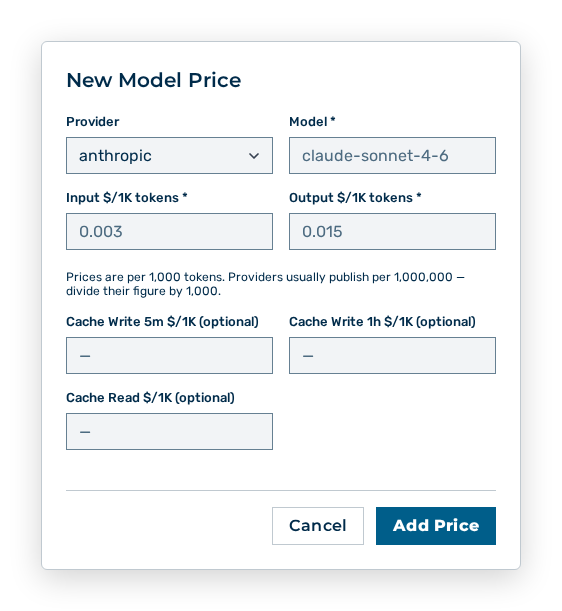
New Model Price dialog
You set the following entries:
| Entry | Description |
|---|---|
| Provider | Provider of the model. |
| Model * | Identifier of the model, for example claude-sonnet-4-6. The entry is required. In the Edit dialog, you cannot change the identifier. |
| Input $/1K tokens * | Price per 1,000 input tokens, for example 0.003. The entry is required. |
| Output $/1K tokens * | Price per 1,000 output tokens, for example 0.015. The entry is required. |
| Cache Write 5m $/1K (optional) | Price per 1,000 tokens that are written to the cache for five minutes. |
| Cache Write 1h $/1K (optional) | Price per 1,000 tokens that are written to the cache for one hour. |
| Cache Read $/1K (optional) | Price per 1,000 tokens read from the cache. |
The following options are available in the dialogs:
| Option | Description |
|---|---|
| Add Price button | Creates the model price. In the Edit dialog, the button carries the Save Changes label. |
| Cancel button | Closes the dialog without applying the entries. |
Note
The prices are per 1,000 tokens. Providers usually publish per 1,000,000 — divide their figure by 1,000. Web search is priced per query, not per token. The Input $/1K tokens input field is USD per 1,000 queries (10 = $0.01 per query). The value of the Output $/1K tokens field stays 0.