Organisations
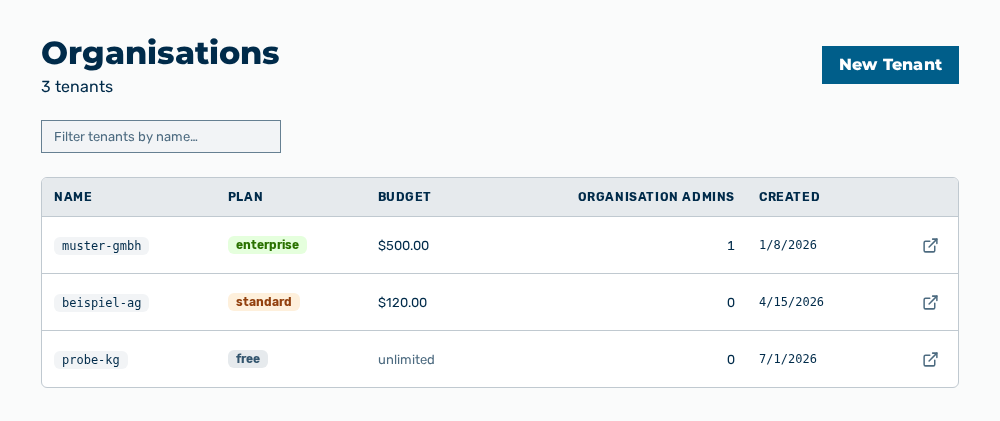
Organisations view
The Organisations view creates tenants and manages their settings. A tenant groups the gateways, the user accounts, and the budget of an organization. Below the title, the view names the number of tenants in the form
The following information is available:
| Column | Description |
|---|---|
| Name | Identifier of the tenant. The identifier contains lowercase letters, numbers, and hyphens. |
| Plan | Plan of the tenant: Free, Standard, or Enterprise. |
| Budget | Spend cap of the tenant with its period. If no budget is set, the unlimited entry appears. |
| Organisation admins | Number of the user accounts with the Administrator role in this tenant. If the tenant holds no such account, the 0 entry appears. |
| Created | Time at which the tenant was created. |
The following options are available:
| Option | Description |
|---|---|
| New Tenant button | Opens the New Tenant dialog. See the Creating a tenant section. The button appears only if your user account may create tenants. |
| Filter tenants by name… input field | Narrows the list to the tenants whose name contains the text you enter. |
| Open → row action | Opens the detail view of the tenant in the row. |
Note
If no tenant exists yet, the view shows No tenants yet. Create your first tenant to get started. If the filter finds no tenant, the view shows No tenants match "<search text>".
Note
The view needs the Create tenants and Purge tenants permissions. These permissions stay reserved for the Administrator role. A role of your own does not take them.
The following sections describe the view in detail: