Detail view of a tenant
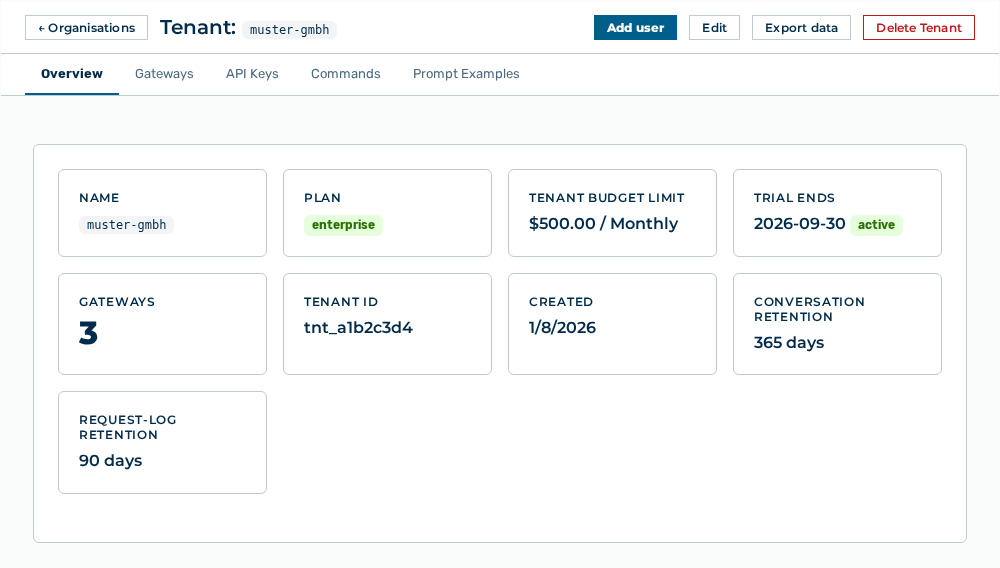
Detail view of a tenant
The detail view lists the settings of a tenant in tabs.
The following information is available:
| Tab | Description |
|---|---|
| Overview | Lists the statistics of the tenant. |
| Gateways | Lists the gateways of the tenant. |
| API Keys | Lists the admin API keys of the tenant. |
| Commands | Lists the shared commands that are available to all users of the tenant in Chat. |
| Prompt Examples | Lists the prompt examples that appear on the home screen. |
The following options are available:
| Option | Description |
|---|---|
| ← Organisations link | Returns to the list of tenants. |
| Edit button | Opens the Edit: |
| Add user button | Opens the dialog that creates a user account in this tenant. After the creation, the view shows User added to this tenant. |
| Export data button | Exports the data of the tenant. While the export runs, the button shows the Exporting… label. |
| Delete Tenant button | Opens the Delete tenant " |