Runs of a workflow
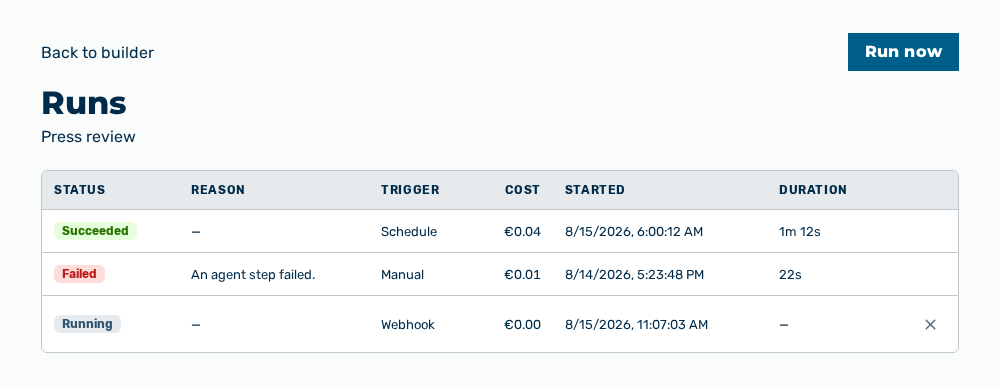
Runs view of a workflow
The Runs view lists the runs of the workflow. A click on a row opens the detail view of the run with the history per step.
The following information is available:
| Column | Description |
|---|---|
| Status | State of the run. |
| Reason | Reason of the failure. For a successful run, the column shows —. |
| Trigger | Trigger that started the run: Manual, Schedule, Webhook or Form. |
| Cost | Cost of the run in euro. |
| Started | Time of the start. |
| Duration | Run time of the run. |
The following options are available:
| Option | Description |
|---|---|
| Back to builder link | Leads back to the builder of the workflow. |
| Run now button | Starts a run. If the workflow is not published, the view shows Publish the workflow before running it. |
| Cancel row action | Ends a run that is still going. The row action appears only on a run that has not finished. |
Note
If no run exists yet, the view shows No runs yet with the text Run this workflow to see its history, per-step cost and delivery here.