Health tab
Health tab
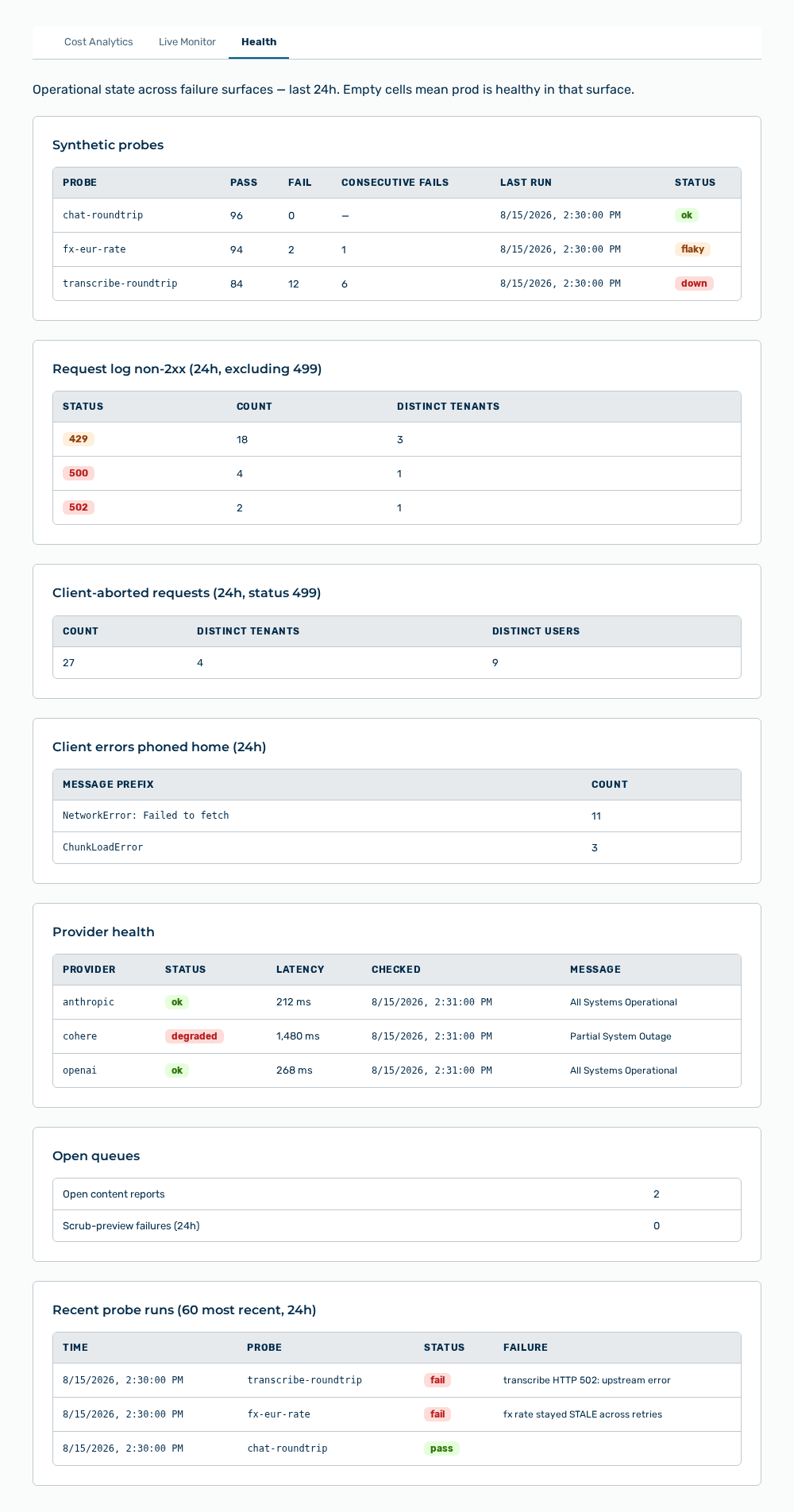
The Health tab shows the operational state across the failure surfaces of the last 24 hours. An empty cell means that this surface is healthy. If no surface is affected, then the tab reports All clear — every surface is green.
The following information is available:
| Area | Description |
|---|---|
| Synthetic probes | Results of the probe runs with the Probe, Pass, Fail, Consecutive fails, Last run, and Status columns. The status is ok, flaky, or down. |
| Request log non-2xx (24h, excluding 499) | Failed responses with the Status, Count, and Distinct tenants columns. |
| Client-aborted requests (24h, status 499) | Requests aborted by the client with the Count, Distinct tenants, and Distinct users columns. |
| Client errors phoned home (24h) | Errors reported by the application with the Message prefix and Count columns. |
| Provider health | State of the providers with the Provider, Status, Latency, Checked, and Message columns. |
| Open queues | The Open content reports and Scrub-preview failures (24h) counters. |
| Recent probe runs (60 most recent, 24h) | Last probe runs with the Time, Probe, Status, and Failure columns. |
Note
The tab is available to platform administrators only. For other roles the view reports Platform admins only. If no values are available, then the tab reports No data.
Note
If no data is available for the selected period, then the view reports No data for this period. If the loading fails, then the view reports Failed to load analytics.