My access
My access view
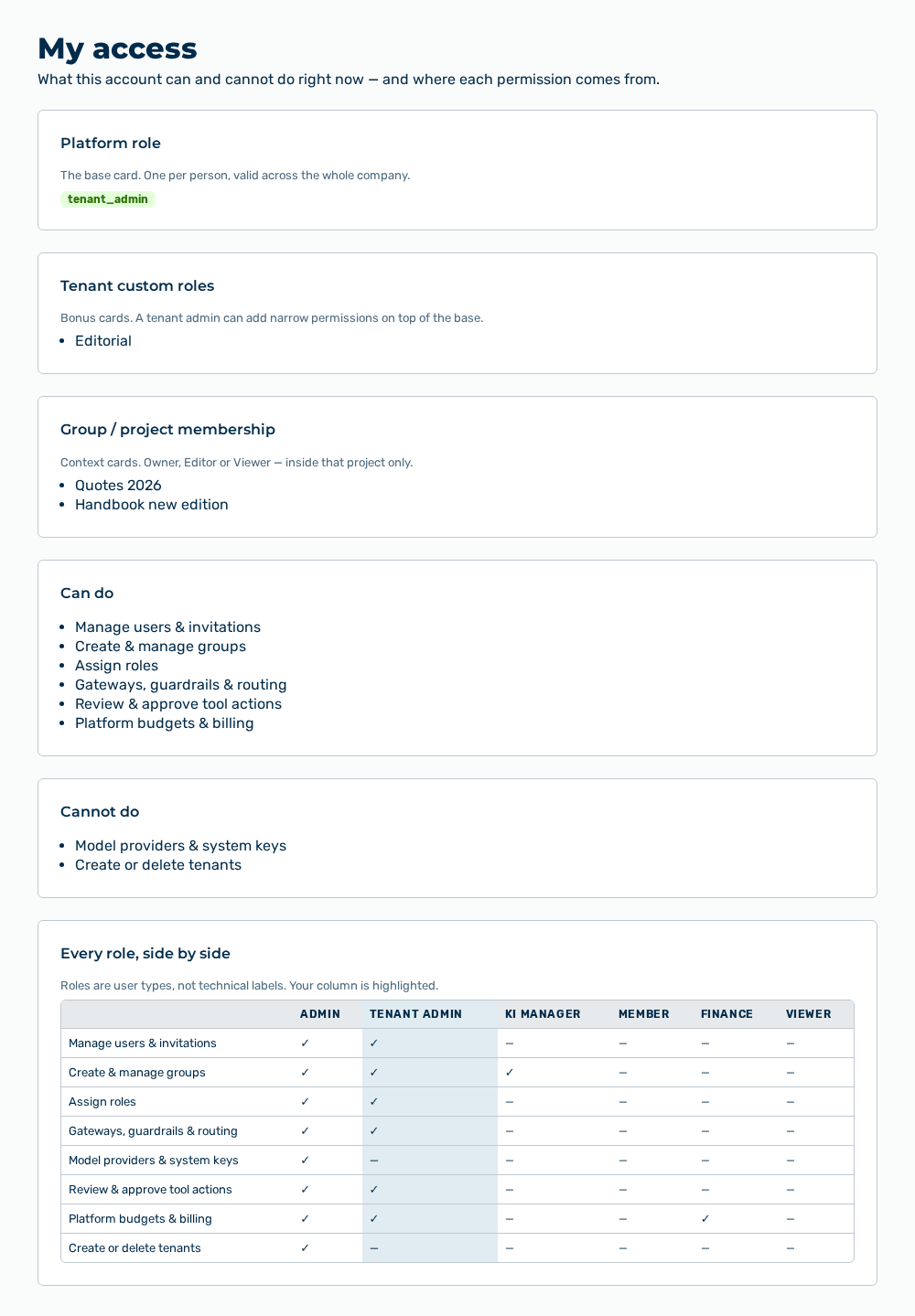
The My access view shows what your account can do and where each permission comes from. You open the view through the My access entry in the user menu. The subtitle is What this account can and cannot do right now — and where each permission comes from.
The view is divided into cards.
The following information is available:
| Card | Description |
|---|---|
| Platform role | Shows your system role as a badge. The badge carries the technical name of the role, for example tenant_admin. The note of the card is The base card. One per person, valid across the whole company. |
| Tenant custom roles | Lists the custom roles that the tenant assigned to you in addition. The note of the card is Bonus cards. A tenant admin can add narrow permissions on top of the base. |
| Group / project membership | Lists the projects that you are a member of. The note of the card is Context cards. Owner, Editor or Viewer — inside that project only. |
| Can do | Lists the capabilities that your platform role grants. |
| Cannot do | Lists the capabilities that your platform role does not grant. |
| Every role, side by side | Compares the capabilities of all roles. The note of the card is Roles are user types, not technical labels. Your column is highlighted. |
Note
If no custom role is assigned to you, the card shows No custom role assigned. If you are a member of no project, the card shows Not a member of any project. If your role holds every capability, the Cannot do card shows Nothing on the platform is out of reach for this account. If a card does not load its data, it shows Could not load this section. Please retry.
Every role, side by side card
The Every role, side by side card compares the capabilities of the six roles. A check mark stands for the capability, a dash for its absence. The column of your own role is highlighted.
The following information is available:
| Capability | Admin | Tenant Admin | KI Manager | Member | Finance | Viewer |
|---|---|---|---|---|---|---|
| Manage users & invitations | ✓ | ✓ | — | — | — | — |
| Create & manage groups | ✓ | ✓ | ✓ | — | — | — |
| Assign roles | ✓ | ✓ | — | — | — | — |
| Gateways, guardrails & routing | ✓ | ✓ | — | — | — | — |
| Model providers & system keys | ✓ | — | — | — | — | — |
| Review & approve tool actions | ✓ | ✓ | — | — | — | — |
| Platform budgets & billing | ✓ | ✓ | — | — | ✓ | — |
| Create or delete tenants | ✓ | — | — | — | — | — |
Note
The table gives the base grants of the system roles. Custom roles that a tenant grants in addition are listed by the Tenant custom roles card. The Demo User role does not reach the view and does not appear in the table.