Managing the billing
The billing settings set how Myra AI Workspace bills the cost of the tenant.
Editing the billing settings
The following requirements are met:
- ☑ Your user account has the Manage billing settings permission.
Proceed as follows to edit the billing settings:
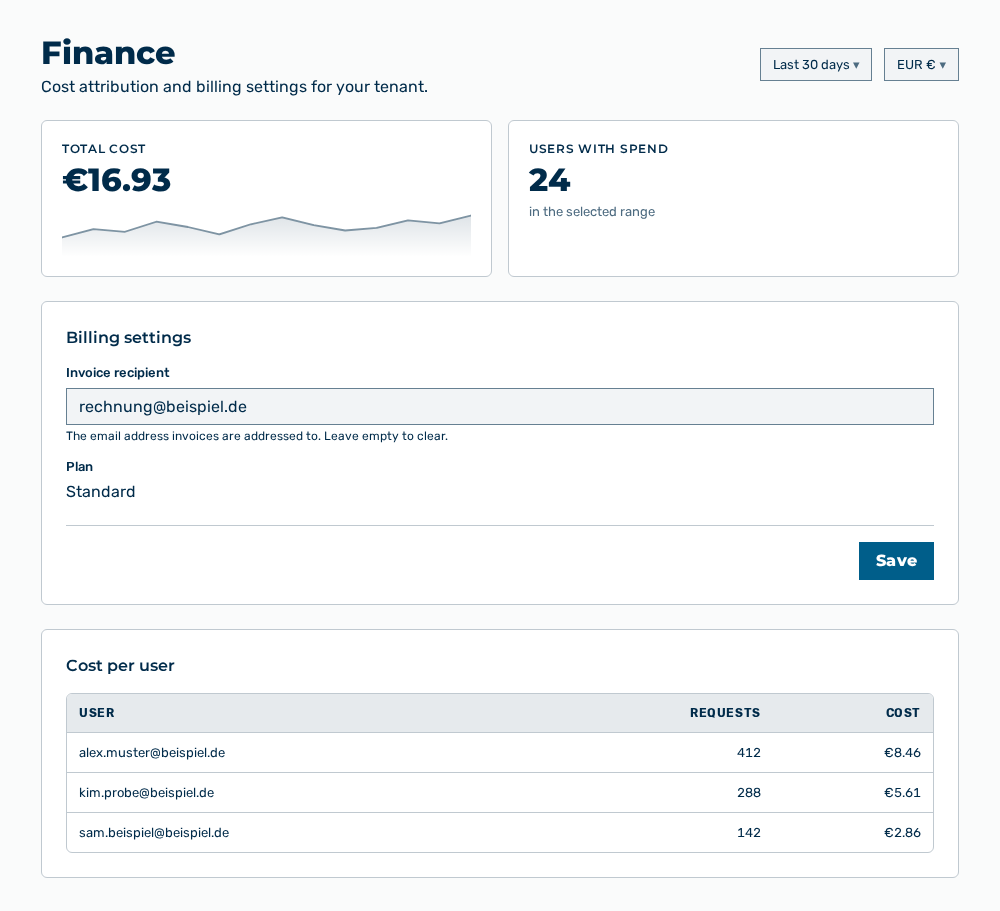
User Costs view
-
► In the Settings area, open the Costs group.
- ▷ On the start page, click on your name at the bottom of the navigation bar.
- ↳ The user menu opens.
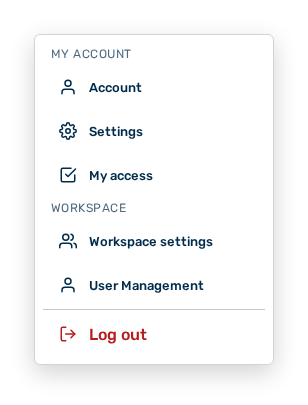
User menu
- ▷ In the My Account group, click on the Settings entry.
- ↳ The navigation bar shows the Settings area.
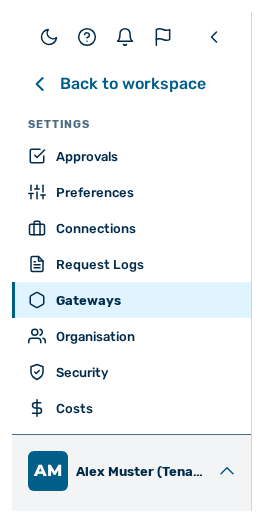
Navigation bar in the Settings area
- ▷ In the navigation bar, click on the Costs group.
- ► In the Billing settings section, change the entries.
- ► Save the settings.
- ➔ Myra AI Workspace shows Saved.
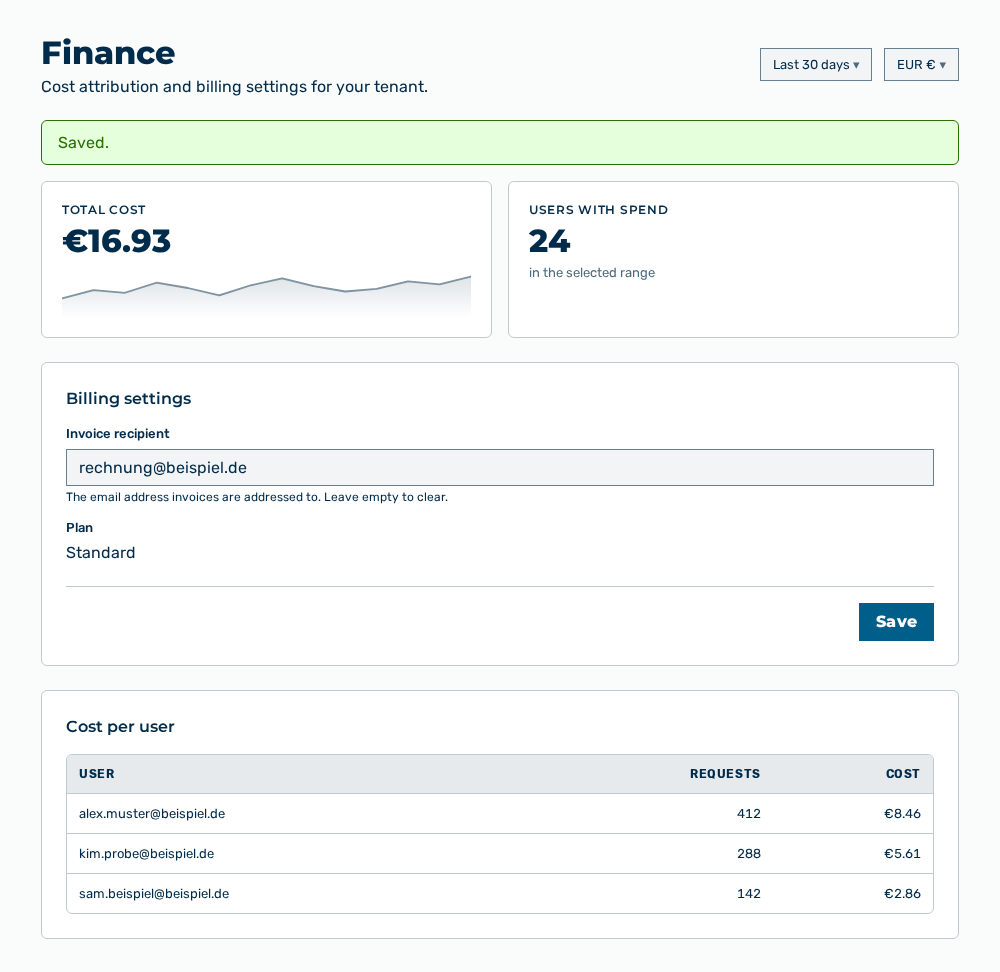
Finance view with the message
Note
If the save operation fails, the view shows Could not save. Please try again.
Entries in the billing settings
The following entry is changed in the section:
| Entry | Effect of the change |
|---|---|
| Invoice recipient | Changes the email address Myra AI Workspace sends the invoices of the tenant to, for example billing@example.com. The field carries the hint The email address invoices are addressed to. Leave empty to clear. If you empty the field, Myra AI Workspace removes the recipient. The tenant then receives no invoice at a stored address any more. |
The following entry cannot be changed in this view:
| Entry | Description |
|---|---|
| Plan | Plan of the tenant. The plan determines the prices and the limits of the tenant. As long as no plan is assigned, the entry shows —. The operator assigns the plan in the Organisations view. |
The following option is available:
| Option | Description |
|---|---|
| Save button | Applies the invoice recipient. While saving, the button carries the label Saving…, afterwards the view reports Saved. |
Effects of the changes
The change has the following effects:
| Object | Effect |
|---|---|
| Invoices | Myra AI Workspace sends the following invoices to the new address. Invoices already sent do not change. |
| Costs | The change affects neither the recorded costs nor the plan. The Costs view reports the same amounts as before. |
| Tenant | The setting applies to the whole tenant, not to a single user account. |
Note
If the billing settings cannot be loaded, the section shows Could not load billing settings. If the address entered is not a valid email address, the view shows Enter a valid email address.
Note
The Costs group does not appear for the AI Manager role.