Detail view of a user account
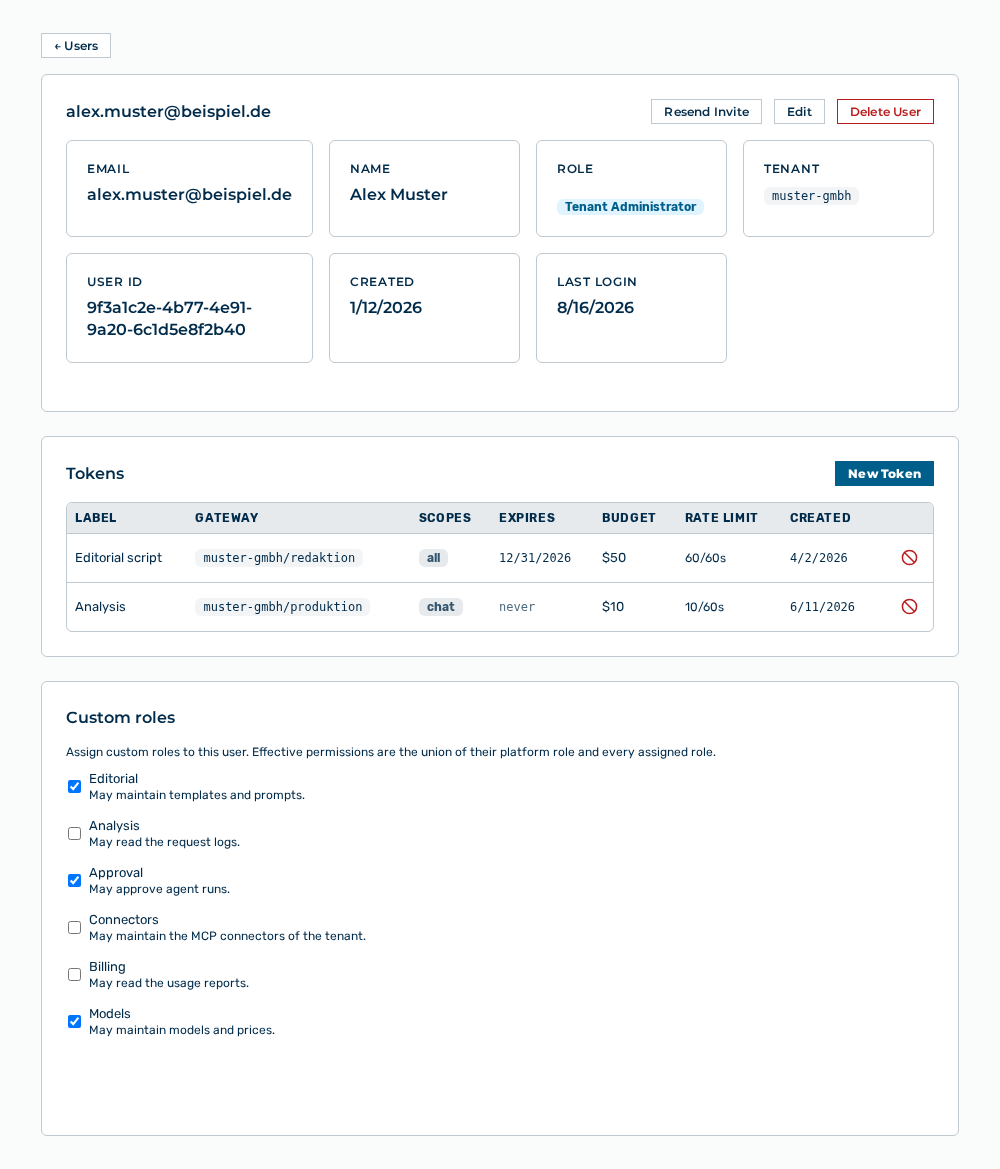
Detail view of a user account
The detail view lists the data of a user account and its tokens.
The following information is available:
| Item | Description |
|---|---|
| Email address of the user account. | |
| Name | Name of the user. |
| Role | Role of the user account. |
| Tenant | Tenant that the user account belongs to. |
| User ID | Identifier of the user account. |
| Created | Time at which the user account was created. |
| Last Login | Time of the last login or the never entry. |
The following options are available:
| Option | Description |
|---|---|
| ← Members button | Returns to the list of the user accounts. |
| Resend Invite button | Sends the invitation to set up the account by email again. After the sending, the button shows Invite Sent ✓. |
| Edit button | Opens the Edit: EMAIL dialog. See the Editing a user account section. |
| Delete User button | Deletes the user account after a confirmation. See the Deleting a user account section. |
| New Token button | Opens the New Token for EMAIL dialog. See the Creating a token section. |