Save these memories dialog
Save these memories dialog
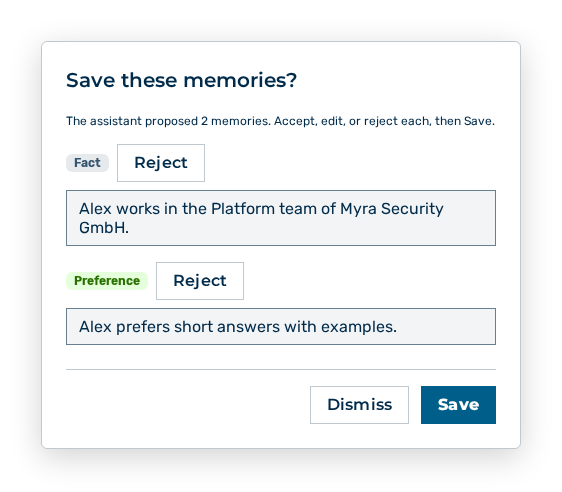
The Save these memories? dialog appears when the assistant proposes memories out of the conversation. The dialog carries the hint The assistant proposed
The following information is available:
| Information | Description |
|---|---|
| Proposal | Text of the proposed memory. |
| Type | Type of the memory: Fact, Preference, or Instruction. |
The following options are available in the dialog:
| Option | Description |
|---|---|
| Memory text input field | Changes the text of a proposal before the save. |
| Reject button | Rejects the proposal. The button then carries the Undo label. |
| Save button | Saves your decision on each proposal. During the save the button carries the Saving… label. |
| Dismiss button | Closes the dialog without a decision. Myra AI Workspace does not count that as a rejection. |
Note
A proposal whose text you empty prevents the save. Change the text or reject the proposal. If the save fails, the dialog states Failed to save memory.
Note
The dialog does not appear if the conversation does not use your memories. The More options menu holds the toggle for that.