Gateway configuration error
The gateway shows Gateway configuration error — check the gateway's provider settings.
Cause
The provider settings of the gateway are incomplete or contradictory.
Solution
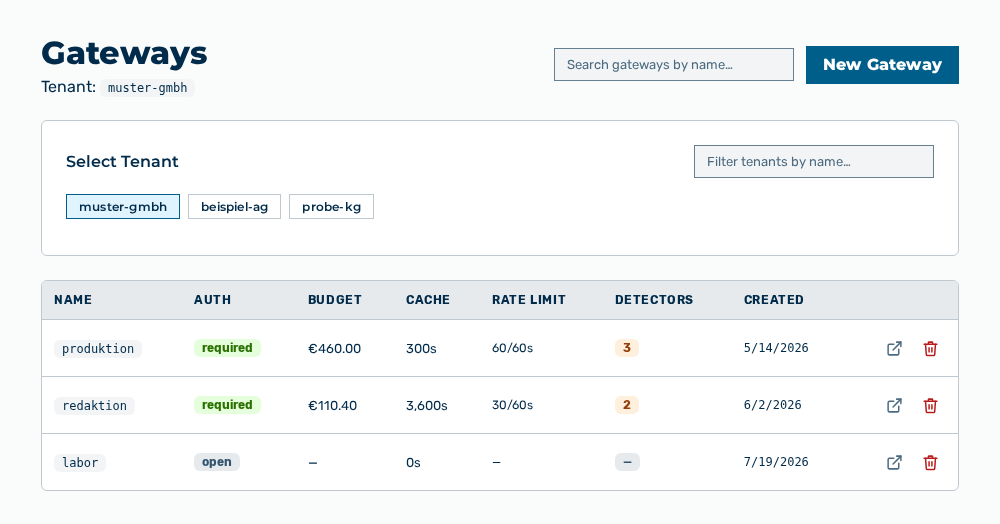
Gateways view
-
► In the Settings area, open the Gateways entry.
- ▷ On the start page, click on your name at the bottom of the navigation bar.
- ↳ The user menu opens.
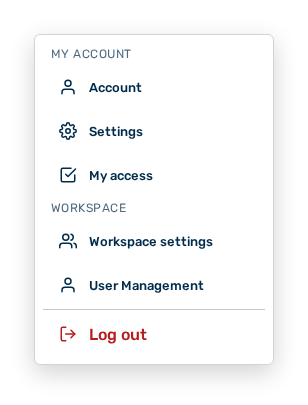
User menu
- ▷ In the My Account group, click on the Settings entry.
- ↳ The navigation bar shows the Settings area. The Gateways entry is open.
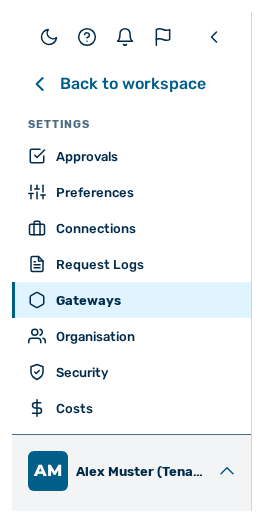
Navigation bar in the Settings area
-
► Open the gateway.
- ► Check the providers, the enabled models, and the URL overrides.
- ► Click on the Save changes button.
- ➔ The gateway accepts the requests again.