Security
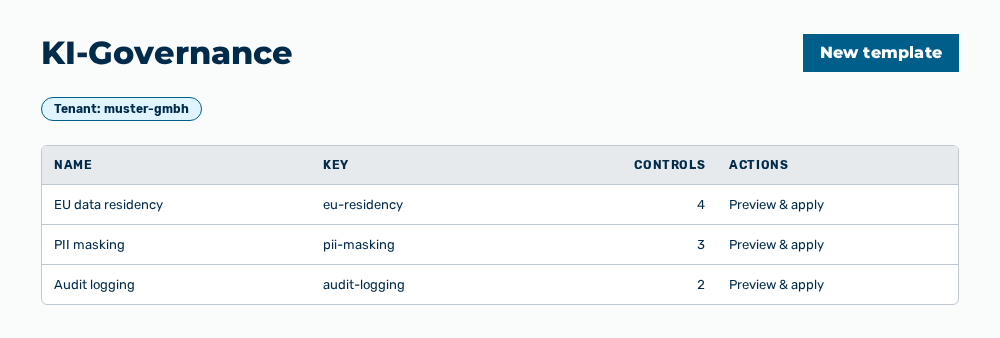
KI-Governance view
The KI-Governance view contains rule templates that map compliance obligations to gateway settings. You show a preview of a template for a gateway and apply it.
The following information is available:
| Column | Description |
|---|---|
| Name | Name of the template. A template you created carries the Non-authoritative label in addition. |
| Key | Template key followed by the version, for example v1. |
| Controls | Target controls of the template in the form |
The following options are available:
| Option | Description |
|---|---|
| New template button | Opens the New governance template dialog. The button is disabled while no tenant is selected. |
| Tenant drop-down list | Selects the tenant whose templates the list shows. The drop-down list appears for the Administrator role only. All other roles see the templates of their own tenant. |
| Preview & apply row action | Opens the Preview & apply — |
| Edit row action | Opens the Edit governance template dialog. For an authoritative template the row action is disabled. |
| Delete row action | Opens the Delete the template ' |
Note
If no template exists yet, the view shows No governance templates yet. If no tenant is selected yet, the view shows Select a tenant to manage its governance templates.
Note
An authoritative template is read-only. The disabled row actions carry the note Authoritative templates are read-only. The Data Protection Officer signs off authoritative content.
Note
Myra AI Workspace always applies the residency minimum. A template does not lower it.
Note
For the Finance role, the Security group does not appear in the Settings area.