Step 4: Set up the guardrails
Guardrails examine the requests and the responses before they reach the provider or go back to the users. Without a guardrail, all content leaves the gateway unchanged.
The following requirements are met:
- ☑ Step 3 is complete, see Set a budget and a rate limit.
Proceed as follows to set up the guardrails:
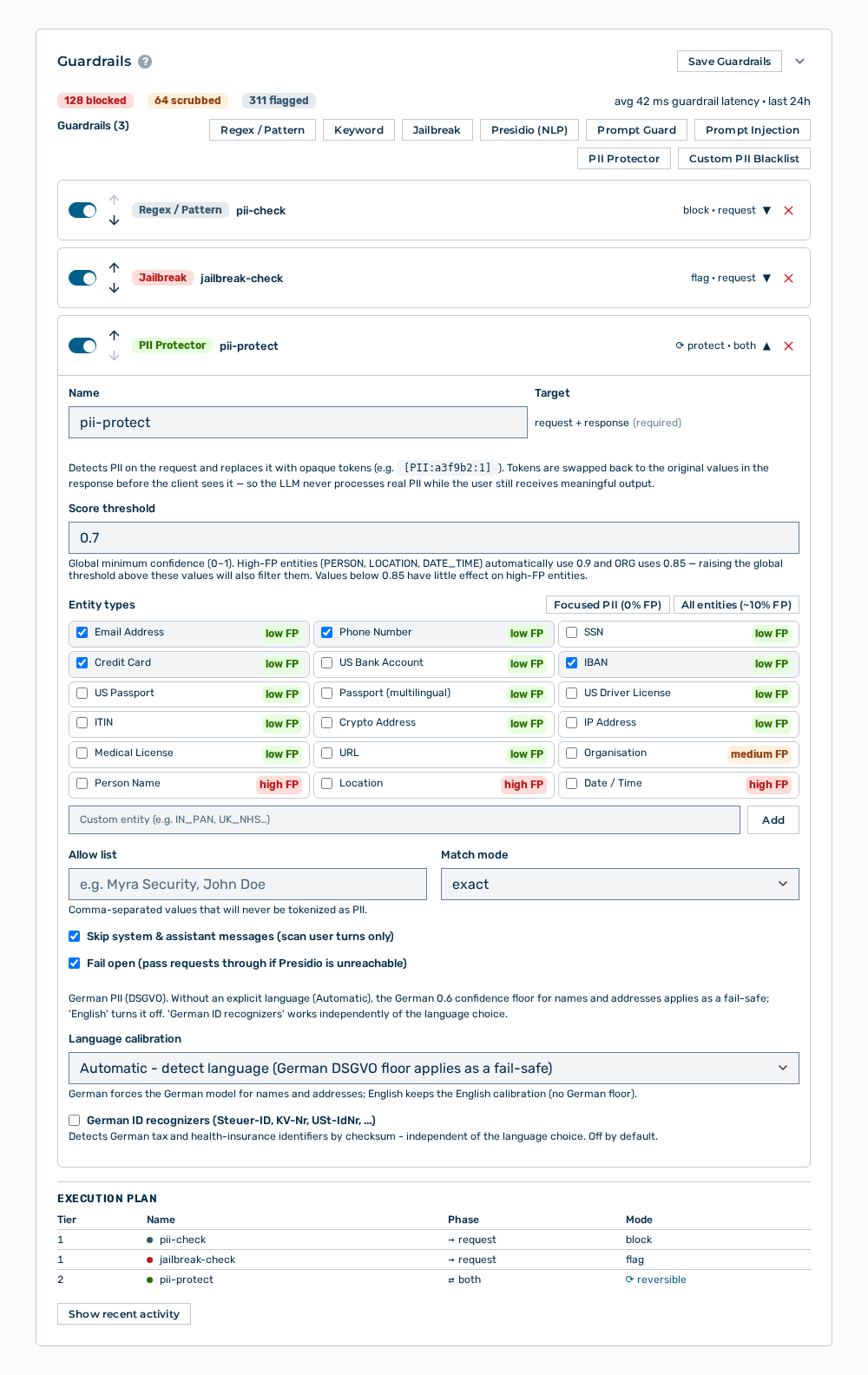
Guardrails section
- ► In the detail view of the gateway, open the Guardrails section.
- ▷ On the start page, click on your name at the bottom of the navigation bar.
- ▷ In the user menu, click on Settings.
- ▷ Open the Gateways group.
- ▷ Open the gateway with the Open → row action.
- ► With the PII Protector button, add a detector that removes personal data from the requests.
- ► With the Jailbreak button, add a detector that blocks attempts to get around the instructions.
- ► Click on the Save Guardrails button.
- ➔ The Saved entry appears, and the Execution plan section shows the sequence of the examinations.
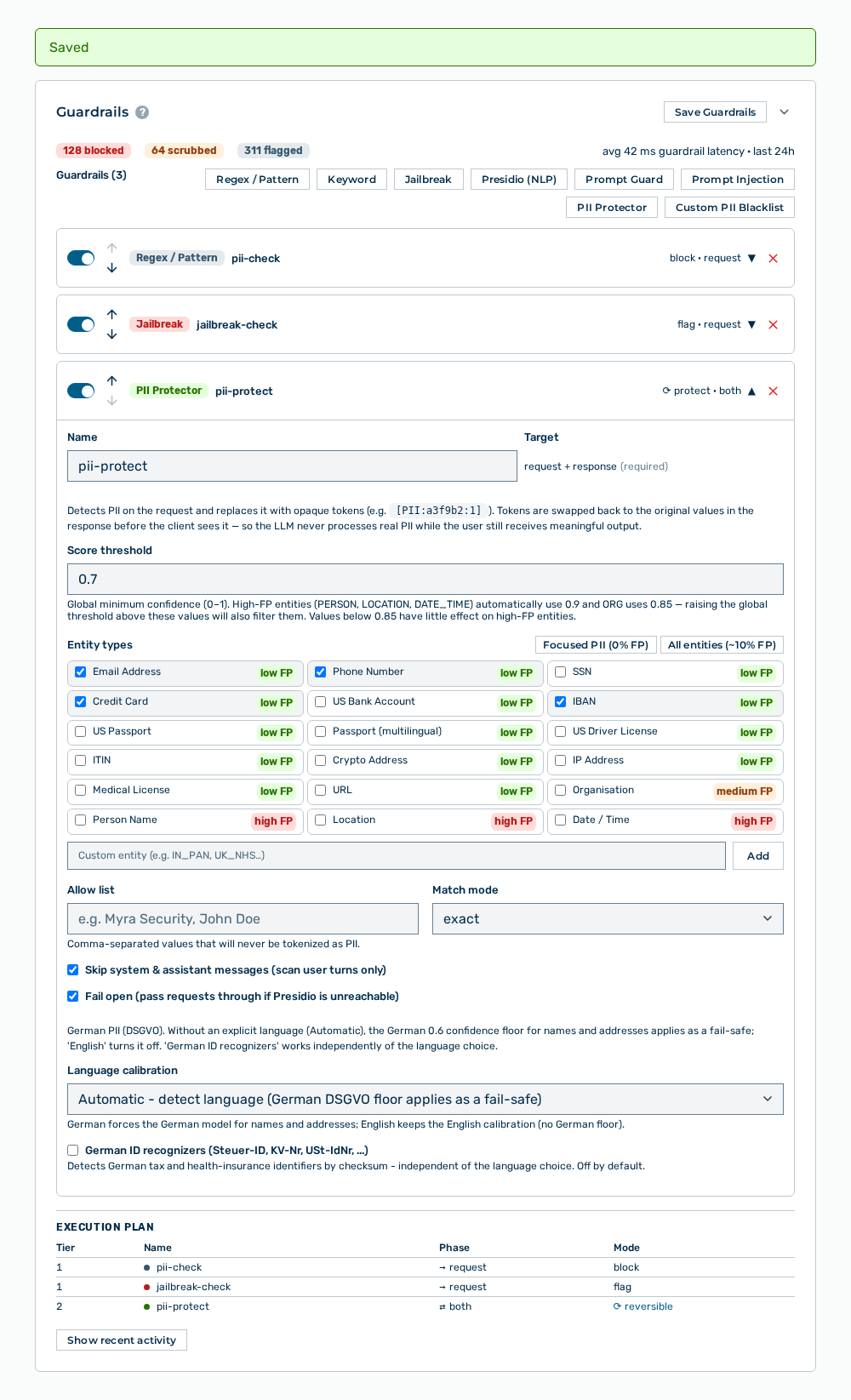
Guardrails section with the message
The Adding a guardrail detector section describes which detector types are available and which data each type expects.
Note
If more than one provider is available and you want to distribute the requests by conditions, create the applicable rules in the Routing Rules section. See the Creating a routing rule section.