MCP connectors
This section names the message that concerns an MCP connector, its cause, and its remedy.
A connector needs to be reconnected
The gateway shows A connector needs to be reconnected before it can be used.
Cause
The credentials of an MCP connector are expired or withdrawn.
Solution
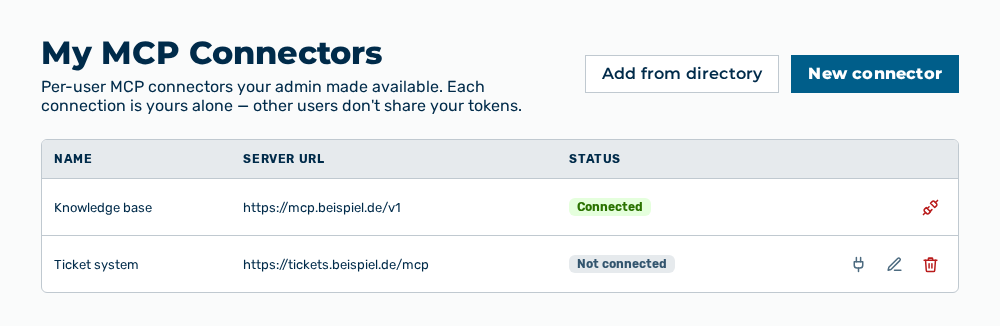
My MCP Connectors view
-
► In the Settings area, open the Connections group.
- ▷ On the start page, click on your name at the bottom of the navigation bar.
- ↳ The user menu opens.
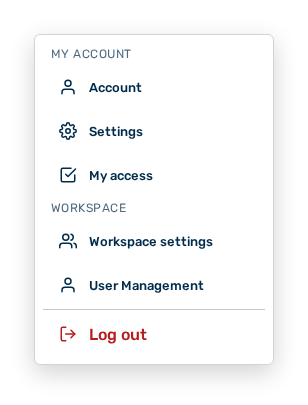
User menu
- ▷ In the My Account group, click on the Settings entry.
- ↳ The navigation bar shows the Settings area.
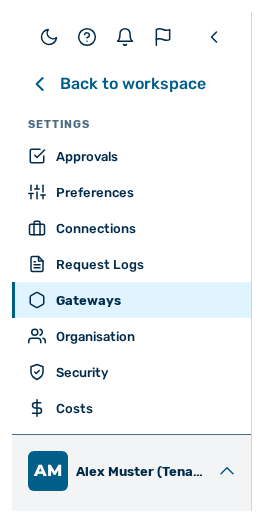
Navigation bar in the Settings area
- ▷ In the navigation bar, click on the Connections group.
- ► In the row of the connector, connect the credentials again with Reconnect.
- ► Send the request again.
- ➔ The AI calls the tools of the connector again.