Share / dialog
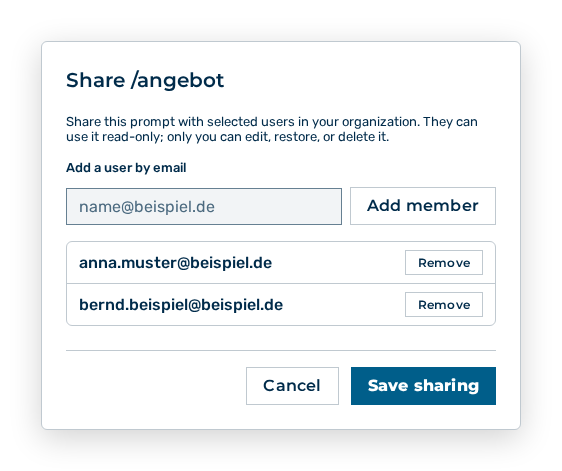
Dialog for sharing a command
The dialog gives selected users access to your own command. The dialog carries this note: Share this prompt with selected users in your organization. They can use it read-only; only you can edit, restore, or delete it.
The following options are available in the dialog:
| Option | Description |
|---|---|
| Add a user by email input field | Takes the email address of the person. The Add member button puts the person on the list. |
| Remove button | Takes the person off the list. |
| Save sharing button | Applies the list. While the list is saved, the button has the Saving… label. |
| Cancel button | Closes the dialog without changing the sharing. |
Note
If the command is not shared yet, the dialog shows Not shared with anyone yet. If the email address belongs to no user account, the dialog shows User not found. They must have an account first.